| .. | ||
| .cargo | ||
| media | ||
| src | ||
| static | ||
| .gitignore | ||
| Cargo.lock | ||
| Cargo.toml | ||
| deploy.sh | ||
| env.example | ||
| README.md | ||

 Noisebell
A switch monitoring system that detects circuit state changes via GPIO and notifies configured HTTP endpoints via POST requests.
This is build by Jet Pham to be used at Noisebridge to replace their old discord status bot
Features
- GPIO circuit monitoring with configurable pin
- HTTP endpoint notifications via POST requests
- Daily rotating log files
- Cross-compilation support for Raspberry Pi deployment
- Software debouncing to prevent noisy switch detection
- Concurrent HTTP notifications for improved performance
- Comprehensive logging and error reporting
- Web-based monitor for testing (no physical hardware required)
- Unified configuration system with environment variable support
Configuration
Noisebell uses environment variables for all configuration settings. Copy env.example to .env and modify the values as needed.
Environment Variables
All configuration is handled through environment variables. Here are the available options:
GPIO Configuration
NOISEBELL_GPIO_PIN(default: 17) - GPIO pin number for circuit monitoringNOISEBELL_GPIO_DEBOUNCE_DELAY_SECS(default: 5) - Debounce delay in seconds
Web Monitor Configuration
NOISEBELL_WEB_MONITOR_PORT(default: 8080) - Port for web monitor serverNOISEBELL_WEB_MONITOR_ENABLED(default: true) - Enable/disable web monitor
Logging Configuration
NOISEBELL_LOGGING_LEVEL(default: info) - Log level (trace, debug, info, warn, error)NOISEBELL_LOGGING_FILE_PATH(default: logs/noisebell.log) - Log file pathNOISEBELL_LOGGING_MAX_BUFFERED_LINES(default: 10000) - Maximum buffered log lines
Monitor Configuration
NOISEBELL_MONITOR_TYPE(default: web) - Monitor type (gpio, web)
Endpoint Configuration
NOISEBELL_ENDPOINT_URL(default: https://noisebell.jetpham.com/api/status) - HTTP endpoint URLENDPOINT_API_KEY(optional) - API key for Authorization headerNOISEBELL_ENDPOINT_TIMEOUT_SECS(default: 30) - Request timeout in secondsNOISEBELL_ENDPOINT_RETRY_ATTEMPTS(default: 3) - Number of retry attempts
GPIO and Physical Tech
We interact directly over a GPIO pin in a pull-up configuration to read whether a circuit has been closed with a switch. This is an extremely simple circuit that will internally call a callback function when the state of the circuit changes.
When a state change is detected, the system:
- Logs the circuit state change
- Sends HTTP POST requests to all configured endpoints
- Reports success/failure statistics in the logs
Debouncing
When a switch changes state, it can bounce and create multiple rapid signals. Debouncing adds a delay to wait for the signal to settle, ensuring we only detect one clean state change instead of multiple false ones.
We do debouncing with software via set_async_interupt which handles software debounce for us.
Logging
Logs are stored in a single continuous log file in the logs directory
Endpoint Notifications
When a circuit state change is detected, the system sends HTTP POST requests to the configured endpoint with the following JSON payload:
{
  "status": "open"
}
The status field will be either "open" or "closed" (lowercase).
Endpoint Configuration
The endpoint is configured using the environment variables listed above. If an API key is provided, it will be included in the Authorization: Bearer <api_key> header.
Web Monitor
A web-based monitor is available for testing without physical hardware. When NOISEBELL_WEB_MONITOR_ENABLED=true (default), you can access the monitor at http://localhost:8080 to manually trigger state changes and test the endpoint notification system.
Images
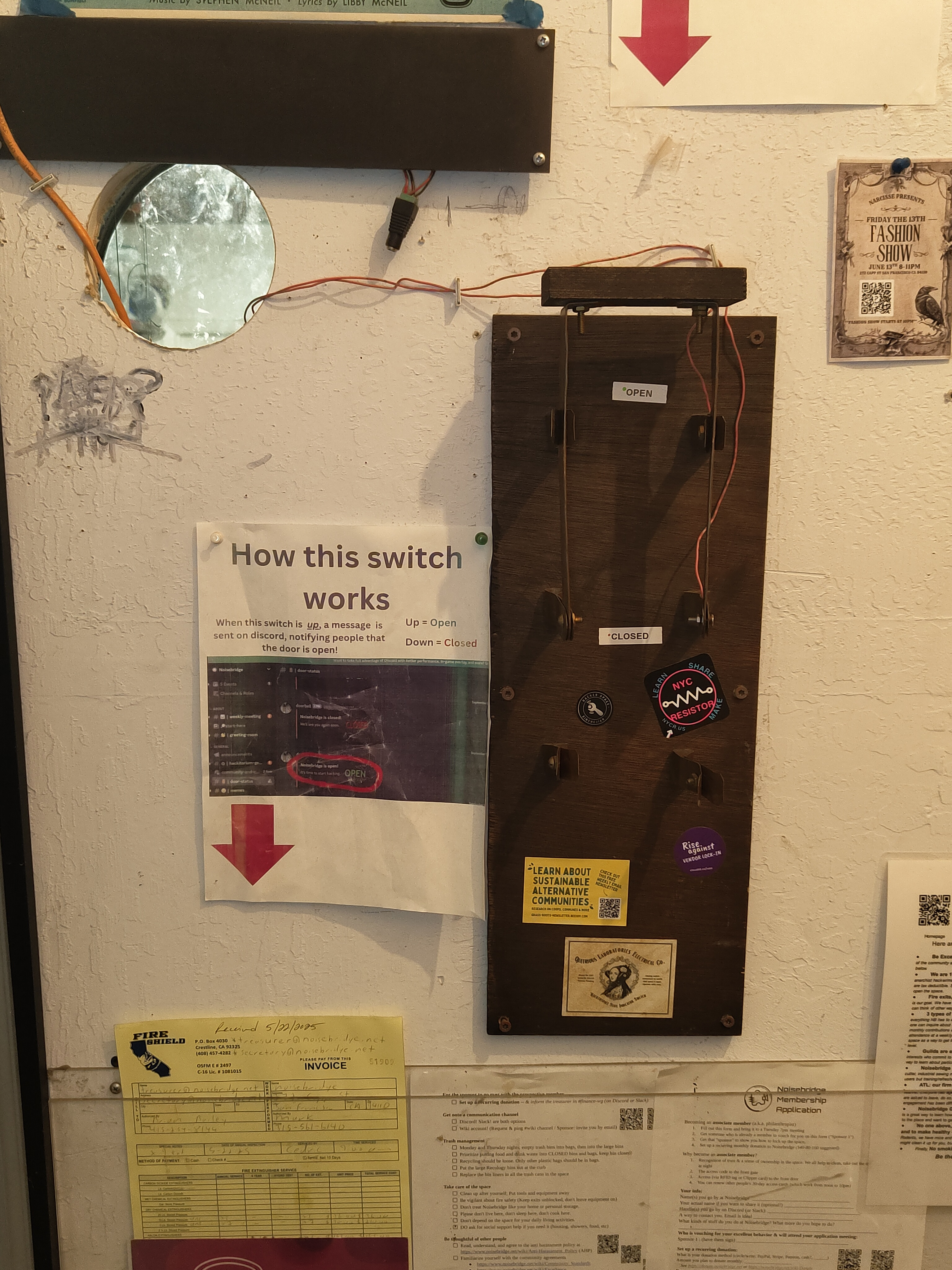
The knife switch used to detect circuit state changes
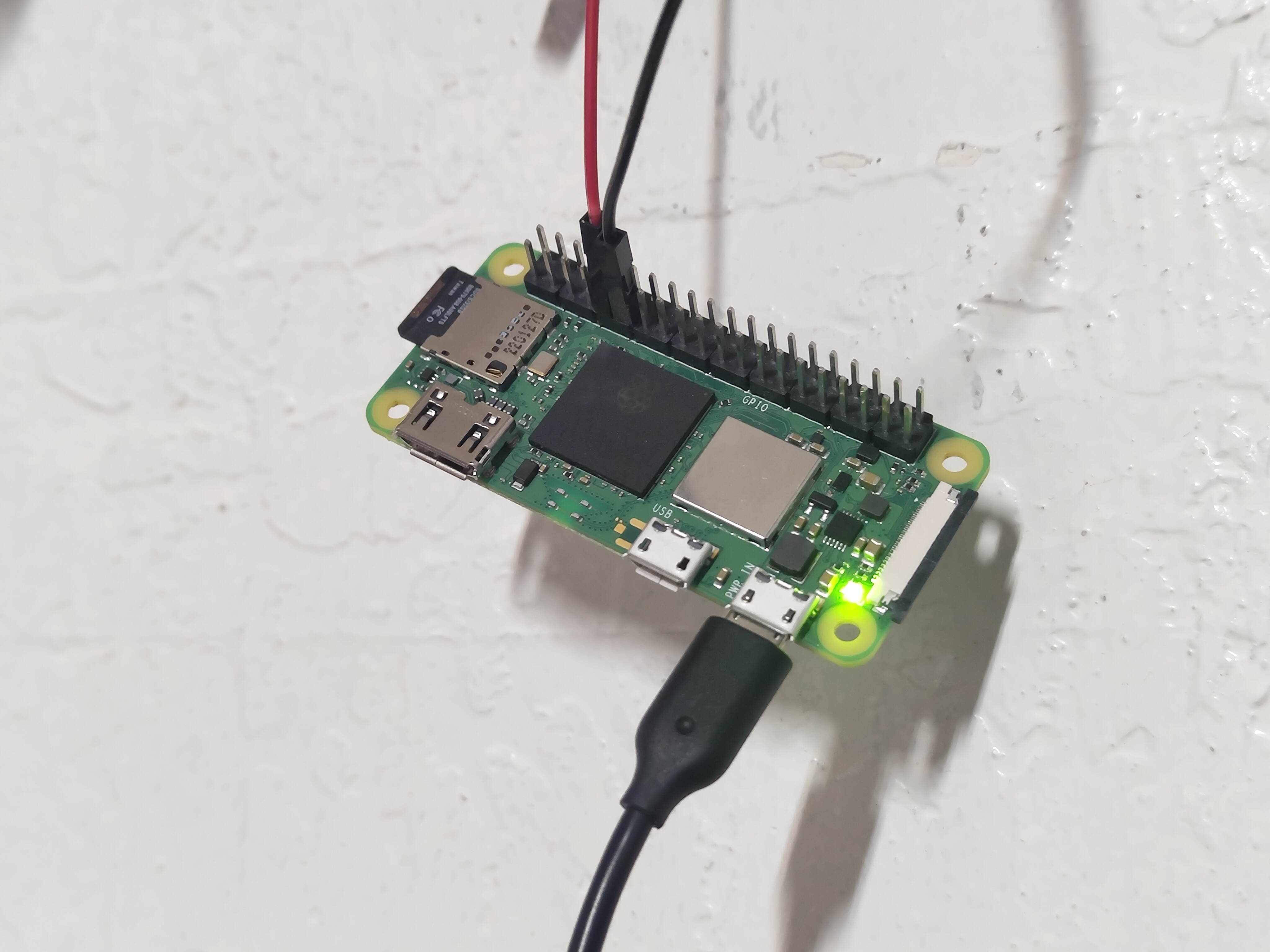
Closeup view of the Raspberry Pi setup
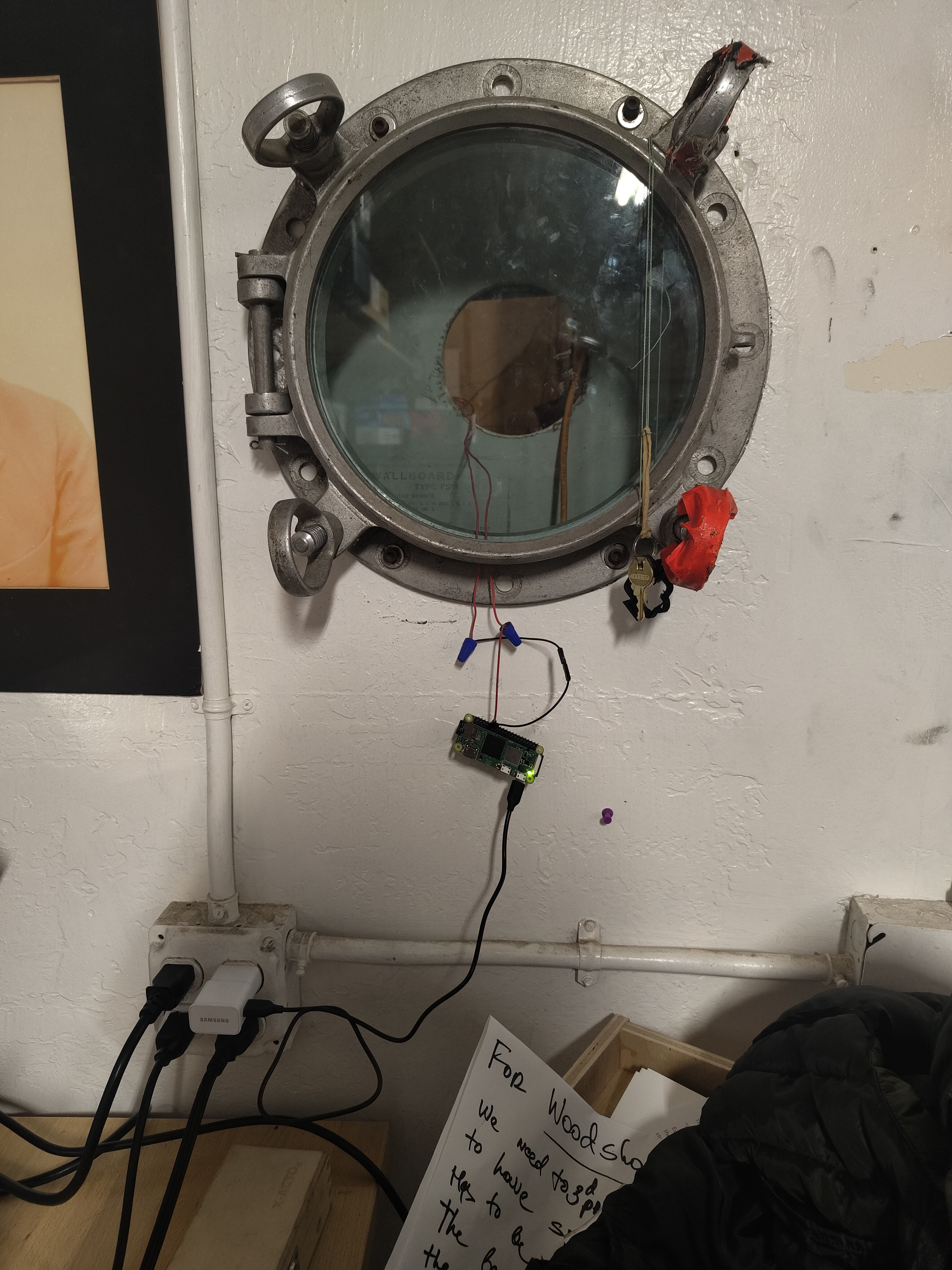
The complete setup showing the Raspberry Pi mounted in a porthole
Development
Requirements
- Rust toolchain (Install Rust)
- Raspberry Pi (tested on RP02W)
crossfor cross-compilation (Install Cross)- Internet connectivity (wifi for the rp02w)
Local Development (Web Monitor)
For local development and testing, you can run the web-based monitor using the following command:
# Copy the example environment file
cp env.example .env

# Run the application
cargo run
This will start a web server on port 8080. Open your browser and go to http://localhost:8080 to interact with the web monitor.
This is meant to replace the need for testing on an actual raspberry pi with gpio pins while keeping the terminal clean for logs.
Deployment
The project includes a deployment script for Raspberry Pi. To deploy, run the deployment script:
./deploy.sh
Configuration Validation
The application validates all configuration values on startup. If any configuration is invalid, the application will exit with a descriptive error message. Common validation checks include:
- GPIO pin must be between 1-40
- Debounce delay must be greater than 0
- Monitor type must be either "gpio" or "web"
- Port numbers must be valid
- Log levels must be valid (trace, debug, info, warn, error)
Quick Start
-
Clone the repository:
git clone <repository-url> cd noisebell -
Set up environment variables:
cp env.example .env # Edit .env with your configuration -
Run the application:
cargo run