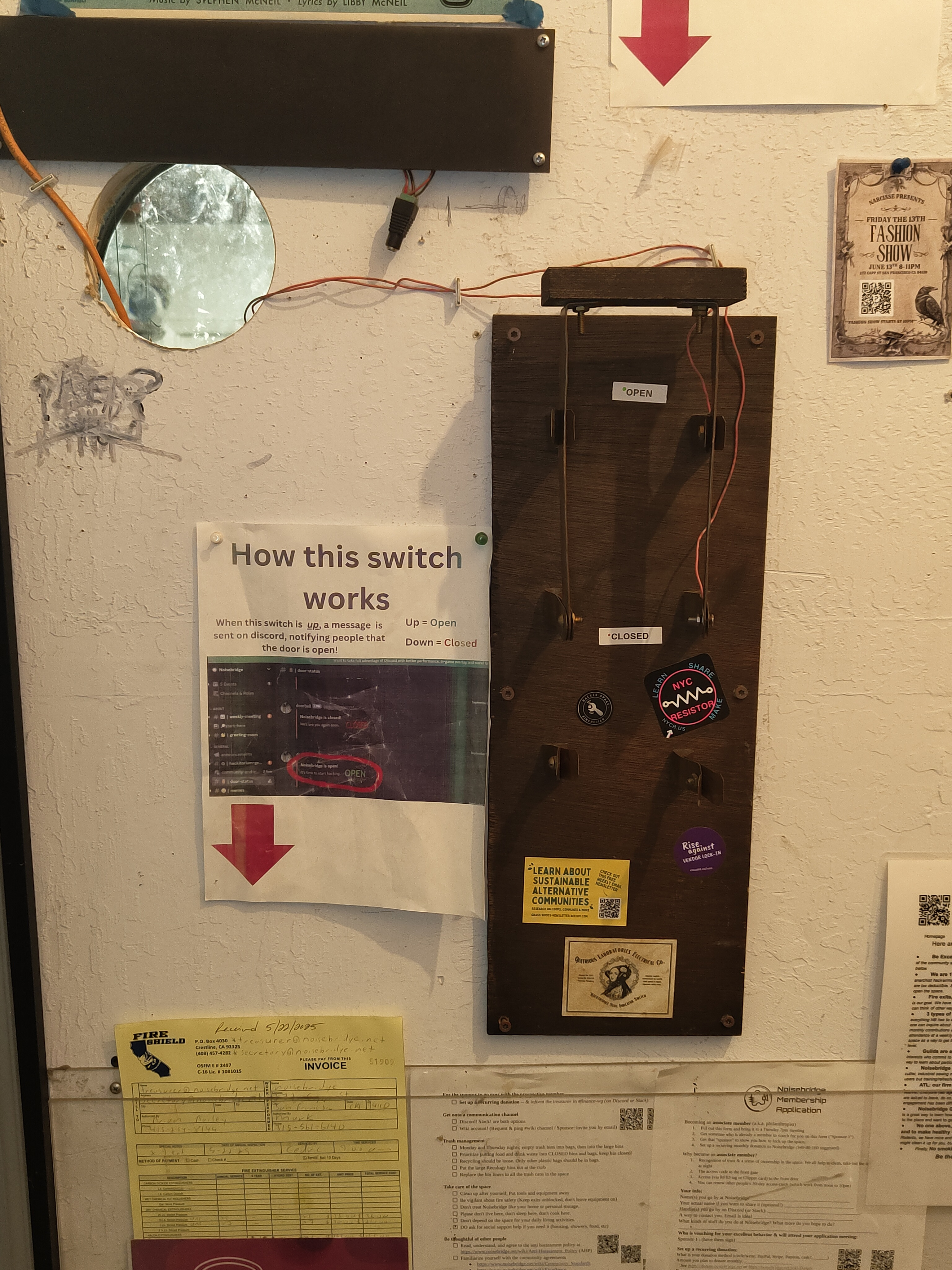
The knife switch used to detect circuit state changes
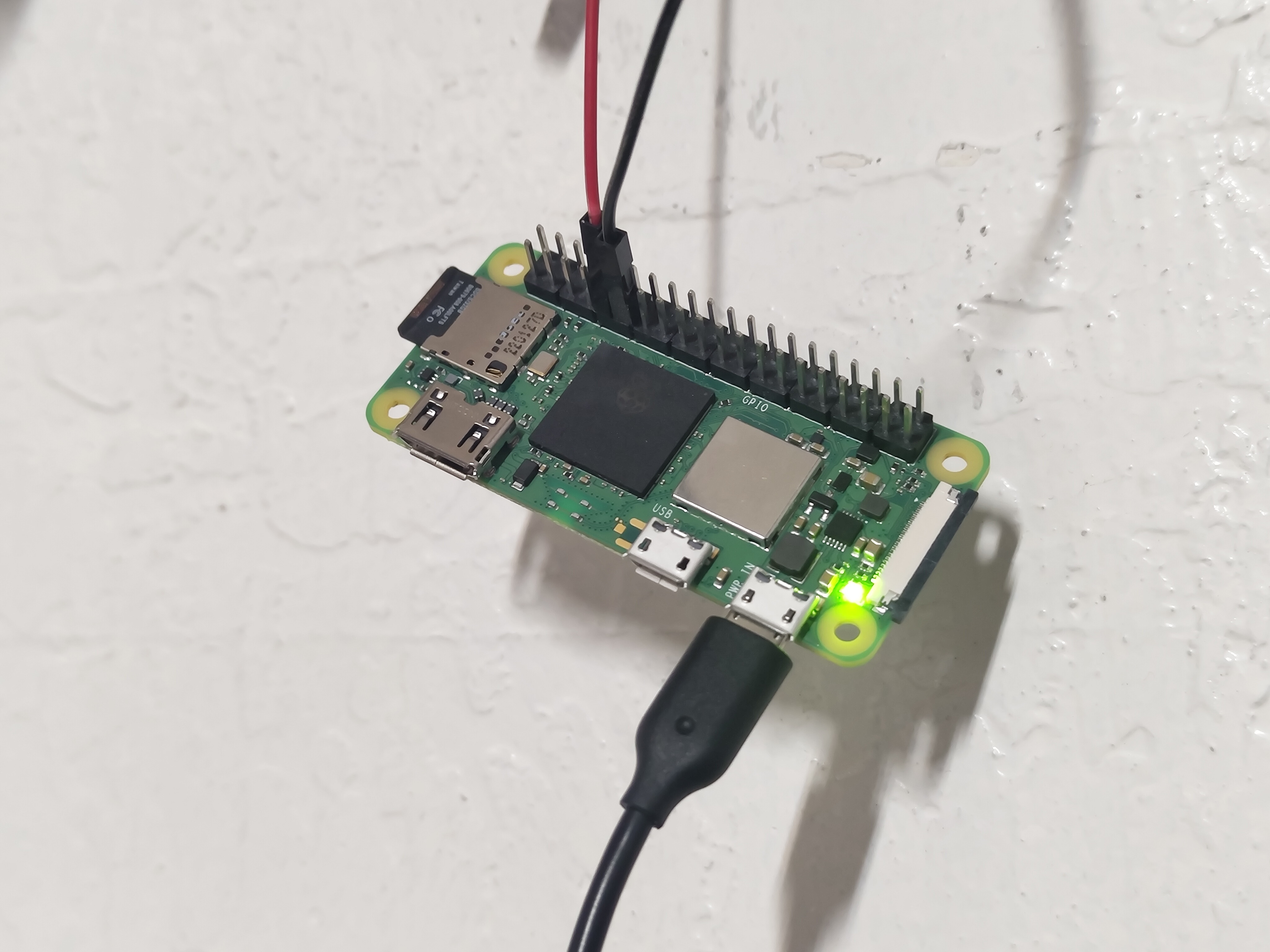
Closeup view of the Raspberry Pi setup
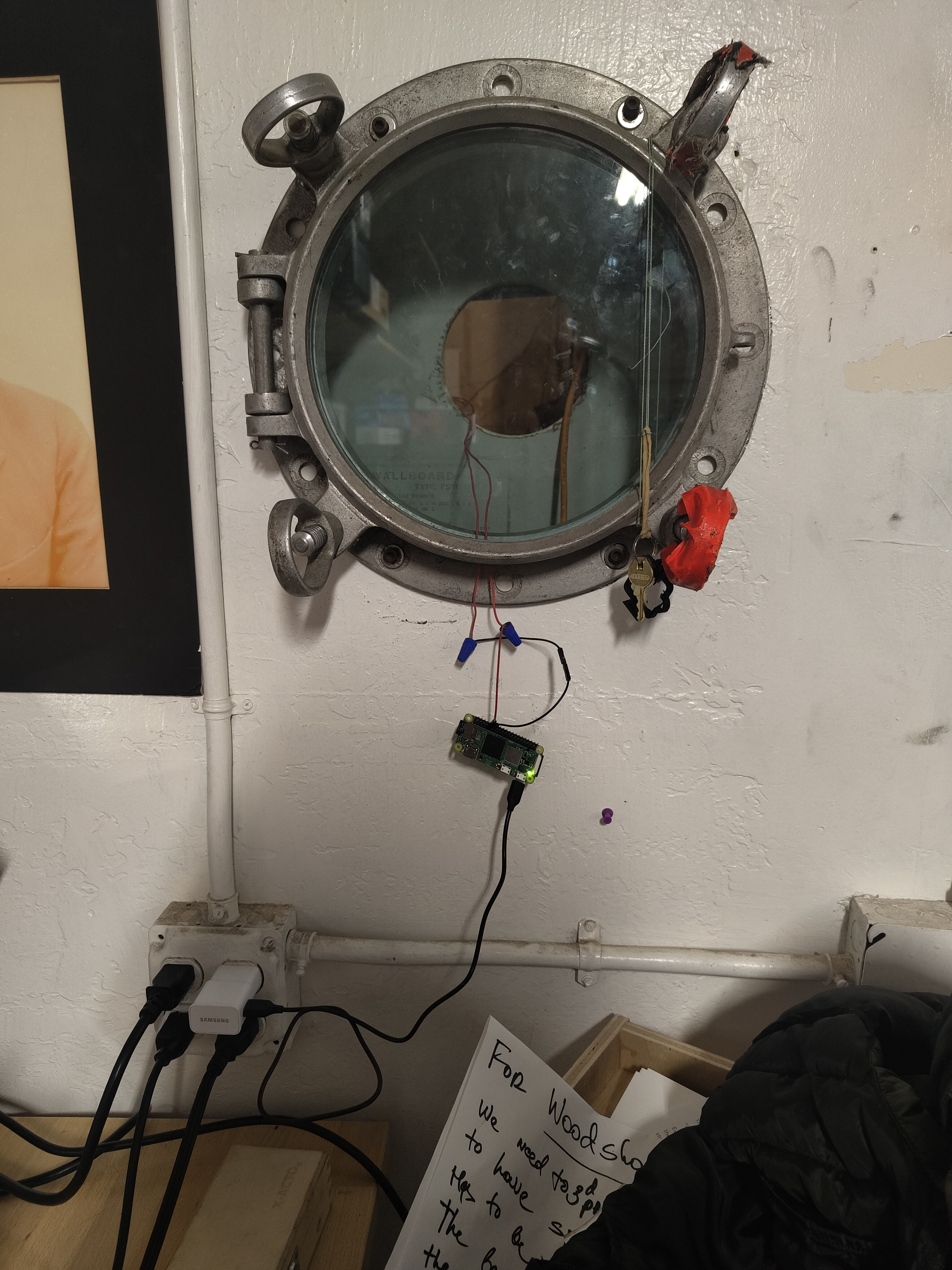
The complete setup showing the Raspberry Pi mounted in a porthole
 Noisebell
A switch monitoring system that detects circuit state changes via GPIO and notifies configured HTTP endpoints via POST requests.
This is build by [Jet Pham][jetpham] to be used at Noisebridge to replace their old discord status bot
## Features
- GPIO circuit monitoring with configurable pin
- HTTP endpoint notifications via POST requests
- Daily rotating log files
- Cross-compilation support for Raspberry Pi deployment
- Software debouncing to prevent noisy switch detection
- Concurrent HTTP notifications for improved performance
- Comprehensive logging and error reporting
- Web-based monitor for testing (no physical hardware required)
- **Unified configuration system** with environment variable support
## Configuration
Noisebell uses environment variables for all configuration settings. Copy `env.example` to `.env` and modify the values as needed.
### Environment Variables
All configuration is handled through environment variables. Here are the available options:
#### GPIO Configuration
- `NOISEBELL_GPIO_PIN` (default: 17) - GPIO pin number for circuit monitoring
- `NOISEBELL_GPIO_DEBOUNCE_DELAY_SECS` (default: 5) - Debounce delay in seconds
#### Web Monitor Configuration
- `NOISEBELL_WEB_MONITOR_PORT` (default: 8080) - Port for web monitor server
- `NOISEBELL_WEB_MONITOR_ENABLED` (default: true) - Enable/disable web monitor
#### Logging Configuration
- `NOISEBELL_LOGGING_LEVEL` (default: info) - Log level (trace, debug, info, warn, error)
- `NOISEBELL_LOGGING_FILE_PATH` (default: logs/noisebell.log) - Log file path
- `NOISEBELL_LOGGING_MAX_BUFFERED_LINES` (default: 10000) - Maximum buffered log lines
#### Monitor Configuration
- `NOISEBELL_MONITOR_TYPE` (default: web) - Monitor type (gpio, web)
#### Endpoint Configuration
- `NOISEBELL_ENDPOINT_URL` (default: https://noisebell.jetpham.com/api/status) - HTTP endpoint URL
- `ENDPOINT_API_KEY` (optional) - API key for Authorization header
- `NOISEBELL_ENDPOINT_TIMEOUT_SECS` (default: 30) - Request timeout in seconds
- `NOISEBELL_ENDPOINT_RETRY_ATTEMPTS` (default: 3) - Number of retry attempts
### GPIO and Physical Tech
We interact directly over a [GPIO pin in a pull-up configuration][gpio-pullup] to read whether a circuit has been closed with a switch. This is an extremely simple circuit that will internally call a callback function when the state of the circuit changes.
When a state change is detected, the system:
1. Logs the circuit state change
2. Sends HTTP POST requests to all configured endpoints
3. Reports success/failure statistics in the logs
## Debouncing
When a switch changes state, it can bounce and create multiple rapid signals. Debouncing adds a delay to wait for the signal to settle, ensuring we only detect one clean state change instead of multiple false ones.
We do debouncing with software via [`set_async_interupt`][rppal-docs] which handles software debounce for us.
### Logging
Logs are stored in a single continuous log file in the `logs` directory
### Endpoint Notifications
When a circuit state change is detected, the system sends HTTP POST requests to the configured endpoint with the following JSON payload:
```json
{
"status": "open"
}
```
The status field will be either `"open"` or `"closed"` (lowercase).
#### Endpoint Configuration
The endpoint is configured using the environment variables listed above. If an API key is provided, it will be included in the `Authorization: Bearer
Noisebell
A switch monitoring system that detects circuit state changes via GPIO and notifies configured HTTP endpoints via POST requests.
This is build by [Jet Pham][jetpham] to be used at Noisebridge to replace their old discord status bot
## Features
- GPIO circuit monitoring with configurable pin
- HTTP endpoint notifications via POST requests
- Daily rotating log files
- Cross-compilation support for Raspberry Pi deployment
- Software debouncing to prevent noisy switch detection
- Concurrent HTTP notifications for improved performance
- Comprehensive logging and error reporting
- Web-based monitor for testing (no physical hardware required)
- **Unified configuration system** with environment variable support
## Configuration
Noisebell uses environment variables for all configuration settings. Copy `env.example` to `.env` and modify the values as needed.
### Environment Variables
All configuration is handled through environment variables. Here are the available options:
#### GPIO Configuration
- `NOISEBELL_GPIO_PIN` (default: 17) - GPIO pin number for circuit monitoring
- `NOISEBELL_GPIO_DEBOUNCE_DELAY_SECS` (default: 5) - Debounce delay in seconds
#### Web Monitor Configuration
- `NOISEBELL_WEB_MONITOR_PORT` (default: 8080) - Port for web monitor server
- `NOISEBELL_WEB_MONITOR_ENABLED` (default: true) - Enable/disable web monitor
#### Logging Configuration
- `NOISEBELL_LOGGING_LEVEL` (default: info) - Log level (trace, debug, info, warn, error)
- `NOISEBELL_LOGGING_FILE_PATH` (default: logs/noisebell.log) - Log file path
- `NOISEBELL_LOGGING_MAX_BUFFERED_LINES` (default: 10000) - Maximum buffered log lines
#### Monitor Configuration
- `NOISEBELL_MONITOR_TYPE` (default: web) - Monitor type (gpio, web)
#### Endpoint Configuration
- `NOISEBELL_ENDPOINT_URL` (default: https://noisebell.jetpham.com/api/status) - HTTP endpoint URL
- `ENDPOINT_API_KEY` (optional) - API key for Authorization header
- `NOISEBELL_ENDPOINT_TIMEOUT_SECS` (default: 30) - Request timeout in seconds
- `NOISEBELL_ENDPOINT_RETRY_ATTEMPTS` (default: 3) - Number of retry attempts
### GPIO and Physical Tech
We interact directly over a [GPIO pin in a pull-up configuration][gpio-pullup] to read whether a circuit has been closed with a switch. This is an extremely simple circuit that will internally call a callback function when the state of the circuit changes.
When a state change is detected, the system:
1. Logs the circuit state change
2. Sends HTTP POST requests to all configured endpoints
3. Reports success/failure statistics in the logs
## Debouncing
When a switch changes state, it can bounce and create multiple rapid signals. Debouncing adds a delay to wait for the signal to settle, ensuring we only detect one clean state change instead of multiple false ones.
We do debouncing with software via [`set_async_interupt`][rppal-docs] which handles software debounce for us.
### Logging
Logs are stored in a single continuous log file in the `logs` directory
### Endpoint Notifications
When a circuit state change is detected, the system sends HTTP POST requests to the configured endpoint with the following JSON payload:
```json
{
"status": "open"
}
```
The status field will be either `"open"` or `"closed"` (lowercase).
#### Endpoint Configuration
The endpoint is configured using the environment variables listed above. If an API key is provided, it will be included in the `Authorization: Bearer